







Why Point of Sale Systems Matter for Modern Businesses
Point of sale systems are an important part of modern business operations. They help shops, restaurants, cafes, salons, and service businesses process sales, take payments, track stock, and manage daily activity from one place.
A basic cash register can record a sale, but modern systems do much more. They can provide real-time information, reduce manual work, and help owners understand how the business is performing.
A good system can also improve customer service. Faster checkout, accurate pricing, and organised stock records help staff work more efficiently during busy hours.
How Point of Sale Systems Work
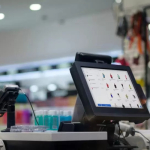
Modern point of sale systems combine software and hardware to complete transactions and manage important business tasks.
The software records sales, stores product information, tracks payments, and creates reports. Hardware may include a touchscreen, receipt printer, barcode scanner, cash drawer, and payment terminal.
Common POS Hardware
A business may use:
- Touchscreen POS terminal
- Barcode scanner
- Receipt printer
- Cash drawer
- Card payment terminal
- Customer display
- Tablet or computer
The exact setup depends on the type and size of the business.
Main Software Features
POS software may include:
- Product management
- Sales history
- Refunds and discounts
- Inventory tracking
- Staff accounts
- Payment records
- Customer information
- Sales reports
These features make it easier to manage daily operations without using several separate systems.
For more information about business software, explore our POS software guide to learn how digital sales tools support different industries.
Main Benefits of Point of Sale Systems
The right point of sale systems can save time and provide better control over business activity.
Faster and More Accurate Sales
A POS system can calculate prices, taxes, discounts, and totals automatically.
This reduces the risk of manual mistakes and helps staff complete transactions more quickly.
Barcode scanning also speeds up checkout because employees do not need to enter product information manually.
Better Inventory Management
Stock control is one of the most useful features of a modern POS system.
When a product is sold, inventory levels can update automatically. This gives business owners a clearer view of what is available.
Businesses can use this information to:
- Identify low-stock products
- Reduce overstocking
- Find best-selling items
- Plan future orders
- Track stock movement
- Manage several locations
Accurate inventory data can help reduce waste and improve product availability.
Clear Business Reports
Modern systems can turn sales data into useful reports.
Owners can review daily, weekly, or monthly performance and see which products or services are performing well.
Useful reports may include:
- Total sales
- Sales by product
- Sales by employee
- Payment method
- Refunds
- Discounts
- Stock movement
- Busy sales periods
These reports can support better business decisions.
How Point of Sale Systems Support Different Industries
Different businesses need different features, so flexible systems can be especially useful.
Retail Businesses
Retail stores often use POS software to manage barcodes, prices, stock, discounts, refunds, and customer receipts.
Fast checkout and accurate inventory control can improve both customer service and daily management.
POS Ireland systems help businesses manage sales, payments, inventory, staff, and reports efficiently from one easy-to-use platform.
Restaurants and Cafes
Restaurants may need more advanced tools than standard retail businesses.
Restaurant systems can include:
- Table management
- Kitchen orders
- Menu updates
- Split bills
- Takeaway orders
- Staff access
- Daily sales reports
These features help improve communication between front-of-house and kitchen staff.
Service Businesses
Salons, repair shops, and other service businesses may use point of sale systems to manage payments, appointments, services, staff, and customer records.
A flexible setup can help keep important information organised in one place.
You can also read our POS Ireland guide for more practical information about choosing business systems and hardware.
What to Check Before Choosing a POS System
Not every POS solution will suit every business.
Easy-to-Use Software
The system needs to be easy enough for employees to learn quickly. Complicated menus can slow down service and increase errors.
A clean layout and clear buttons can make daily use much easier.
Hardware Compatibility
Check whether the software works with the equipment you already use or plan to buy.
This can include printers, scanners, cash drawers, payment terminals, and customer displays.
Reporting and Support
Good reporting is important for understanding performance.
Reliable customer support can also be valuable if there are software, payment, or hardware problems.
Frequently Asked Questions About Point of Sale Systems
What Does POS Mean?
POS stands for Point of Sale. It is the place and system where a business completes a customer transaction.
Do Small Businesses Need a POS System?
Small businesses can benefit from faster checkout, organised sales records, inventory tracking, and useful reports.
Can POS Systems Track Inventory?
Yes. Many modern systems automatically update inventory after each sale.
Can Restaurants Use POS Systems?
Yes. Restaurant systems can manage tables, kitchen orders, payments, menus, and staff.
Do POS Systems Work With Receipt Printers?
Yes. Many POS setups connect with thermal receipt printers. Compatibility should always be checked before buying hardware.
Key Takeaways
Modern point of sale systems can help businesses manage sales, payments, inventory, staff, and reports more efficiently.
Choose a system that is easy to use, works with the right hardware, and provides the features your business actually needs.
A well-planned POS setup can reduce errors, speed up transactions, improve stock control, and give owners a clearer view of daily business performance.
For more useful information, explore our related guide to compare POS features, hardware options, and business management tools.
