







Managing item records.
In Koha each bibliographic record can have one or more items attached. These items are sometimes referred to as holdings. Each item includes information to the physical copy the library has.
2.4 Moving Items
Items can be moved from one bibliographic record to another using the Attach Item option
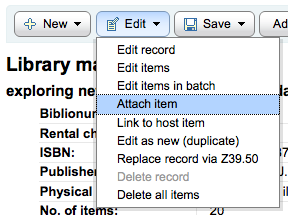
Visit the bibliographic record you want to attach the item to and choose 'Attach Item' from the 'Edit' menu.
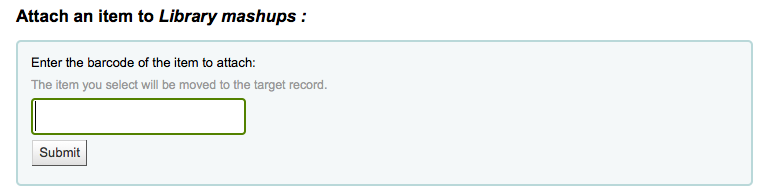
Simply enter the barcode for the item you want to move and click 'Select'
If you want to move all items to a new record creating only one bibliographic record you can use the Merge Records tool instead.