



Managing item records.
In Koha each bibliographic record can have one or more items attached. These items are sometimes referred to as holdings. Each item includes information to the physical copy the library has.
2.3 Item Information
To the left of every bibliographic record there is a tab to view the items.
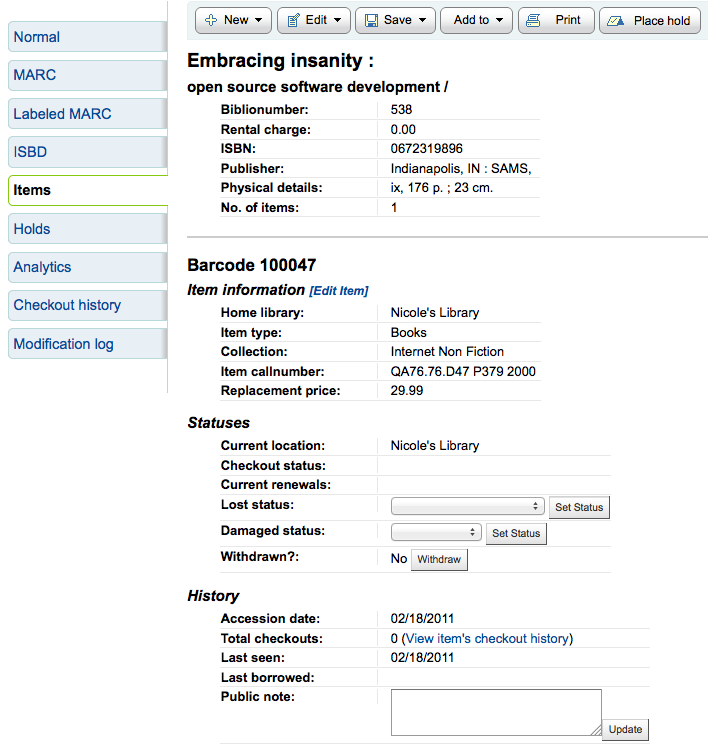
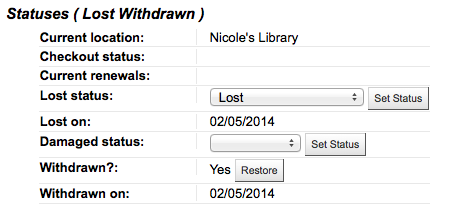
Clicking that tab will give you basic information about the items. From here you can see basic information about the item such as the home library, item type, collection code, call number and replacement price. You can also see and edit the status information. If an item is marked lost or withdrawn you will also see the date that status was applied.
In the History section you will see infomration about the check out history of the item and if you ordered the item via the acquisitions module then this section will include information about the order.
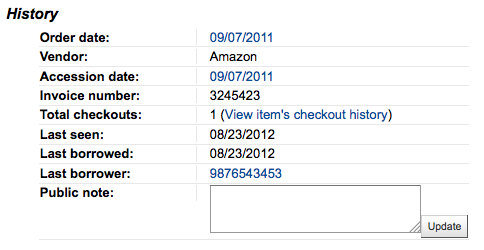
If the Order or Accession date is linked, clicking it will bring you to the acquisitions information for that item.