




Managing biblographic records.
In Koha the bibliographic record contains the main information related to the material. This includes things like the title, author, ISBN, etc. This information is stored in Koha in Marc (different flavors of Marc are supported in Koha). Once this information is saved, items or holdings can be attached.
1.7 Deleting Records
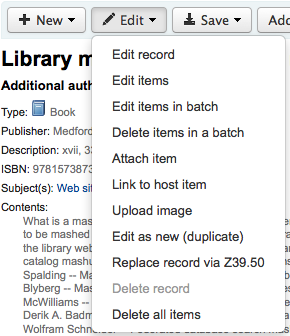
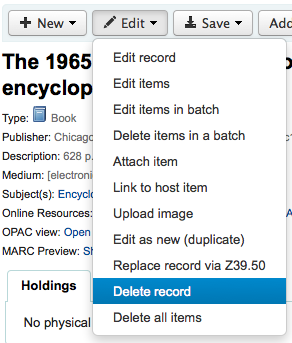
To delete a bibliographic record simply choose the 'Edit' button and select 'Delete record'
Bibliographic records can only be deleted one all items have been deleted. If you try to delete a bibliographic record with items still attached you will see that the delete option is grayed out.