







Managing biblographic records.
In Koha the bibliographic record contains the main information related to the material. This includes things like the title, author, ISBN, etc. This information is stored in Koha in Marc (different flavors of Marc are supported in Koha). Once this information is saved, items or holdings can be attached.
If you would like to upload files to Koha you can do so with a few settings.
-
You will need to ask your system administrator to set the 'upload_path' config variable to point to where the files will be stored
-
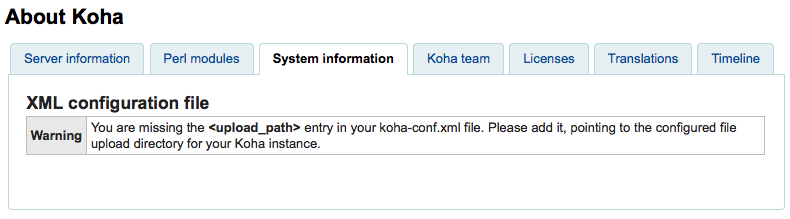
You can see if your upload path is set correctly by visiting About Koha > System Information. If there is an error you will see it there.
-
-
You will want to be sure that your OPACBaseURL system preference is set appropriately
-
You will want to add the upload.pl plugin to the 856$u subfield in one (or multiple) of your frameworks
Once you are all set up you can continue with cataloging as regular. You will see a plugin icon next to the 856$u that will open up the upload and/or search window
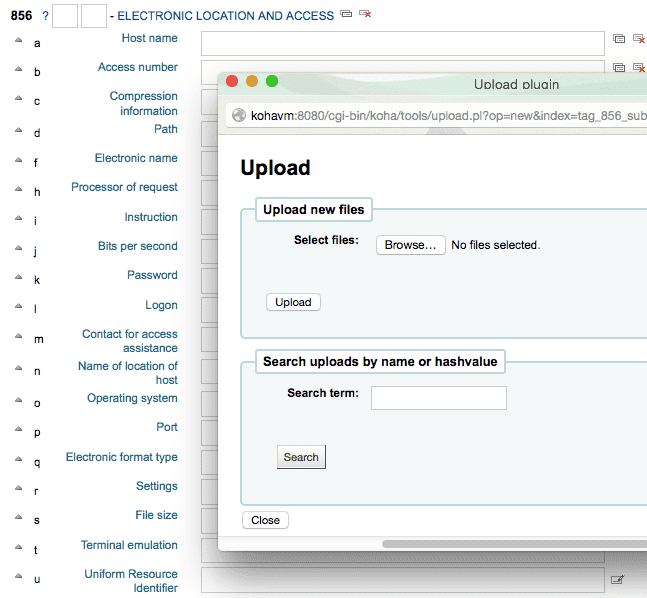
From this menu you can click browse to find a file and attach it, or you can search files you have uploaded previously using the search box. From the search results you can choose which file to attach.
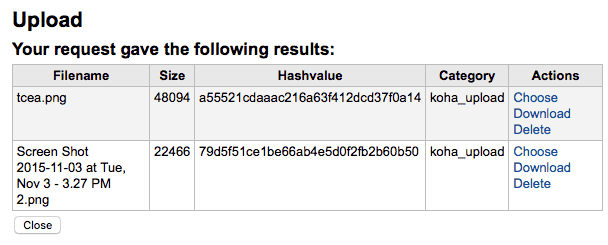
Once the file is chosen it will appear as a link in the MARC record and on the detail display.